Built different
No Electron. No web views. Just native Rust code that launches in milliseconds and sips memory while you write.
Platform Refresh & WYSIWYG Editing
Rendered edit session (WYSIWYG block switching), PDF & HTML export, executable code blocks, Mermaid first wave, Phosphor icons, split-view scroll sync — on eframe/egui 0.34.2 with Rust 1.92.
Rendered Edit Session
One click opens any WYSIWYG block — heading, paragraph, list item, or table cell. Previous block commits automatically. True WYSIWYG.
PDF & HTML Export
Export to PDF (page size, margins, link annotations) and themed HTML (Mermaid SVG, syntax-highlighted code). Print preview included.
Executable Code Blocks
Run shell and Python snippets directly in the editor. Inline ANSI-colored output, exit status, timeout, Stop control, and first-run consent.
Mermaid First Wave
Insert toolbar with diagram templates, inline validation with squiggles, flowchart extra shapes, state fork/join/history, and major edge routing improvements.
Split-View Scroll Sync
Raw editor and rendered preview stay aligned while scrolling. Source line + fraction anchors keep code blocks and Mermaid diagrams in sync.
Phosphor Icons & egui 0.34
Full UI refresh with Phosphor icon set. Platform bump to eframe/egui 0.34.2 and Rust 1.92 MSRV with skrifa + vello_cpu text backend.
Everything you need, nothing you don't
Custom Editor, Built from Scratch
FerriteEditor is a ground-up text editor built with egui drawing primitives. 100x less memory than the previous egui TextEdit — a 4MB file uses ~15MB (was 1.5GB). Rope-based buffer with O(log n) text operations.
Native Mermaid Rendering
11 diagram types rendered in pure Rust. No JavaScript, no network calls. Flowcharts, sequence, state, class, ER, git graph, gantt, and more.
less RAM
was 1.5GB before
cold start
no Electron
Command Palette
Alt+Space
Fuzzy search across every action. Recent commands, category grouping, and shortcut hints for quick discovery.
Split View
Both panes editable
Raw markdown on the left, rendered preview on the right. Both are fully editable with complete undo/redo.
Semantic Minimap
Actually useful
Shows actual heading text, not blurry pixels. Visual markers for code blocks, diagrams, tables, images.
Wikilinks & Backlinks
Note-taking ready
[[wikilinks]] with click-to-navigate. Backlinks panel shows all files linking to the current document.
Image & PDF Viewers
Native, in-editor
Open images (PNG, JPEG, GIF, WebP, BMP) and PDFs as tabs. Pure Rust PDF rendering via hayro.
CSV/TSV Viewer
Rainbow columns
Native table view with alternating column colors. Auto-detects delimiter (comma, tab, semicolon, pipe). Lazy parsing for large files.
Thoughtful editing experience
Built for developers
Unicode & CJK
Full Chinese, Japanese, Korean rendering. HarfRust text shaping for Arabic, Bengali, Devanagari, and 11+ script families. Custom font selection per script.
Community Translations
Help us translate
UI translations powered by Weblate. Contribute translations for your language.
Join on Weblate →Power user tips
Features you might have missed. Hover over the ? indicators to learn more.
Quick File Access
Click the filename in the status bar
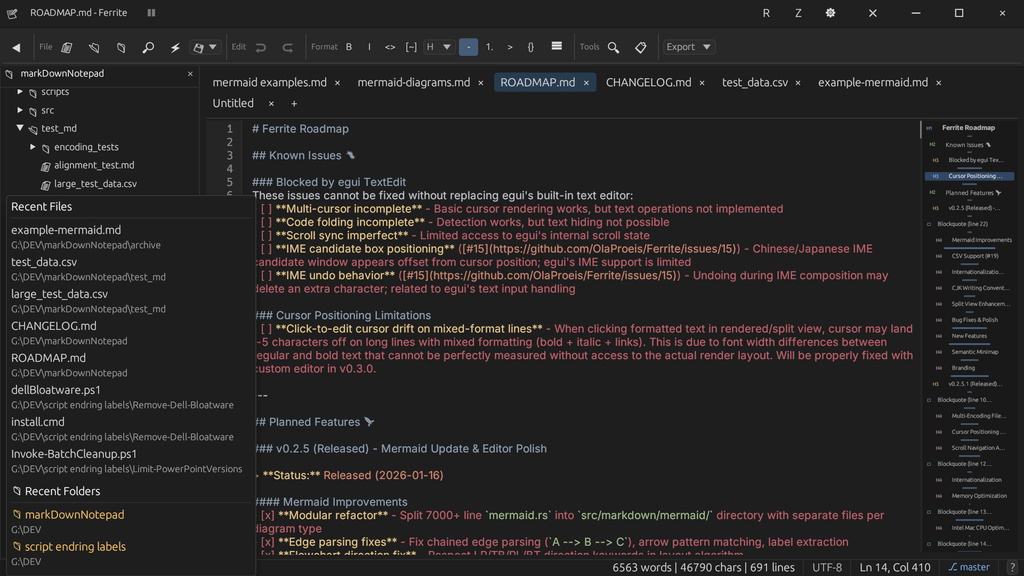
Hover over the indicators above
CSV Power Controls
Customize table display from the status bar
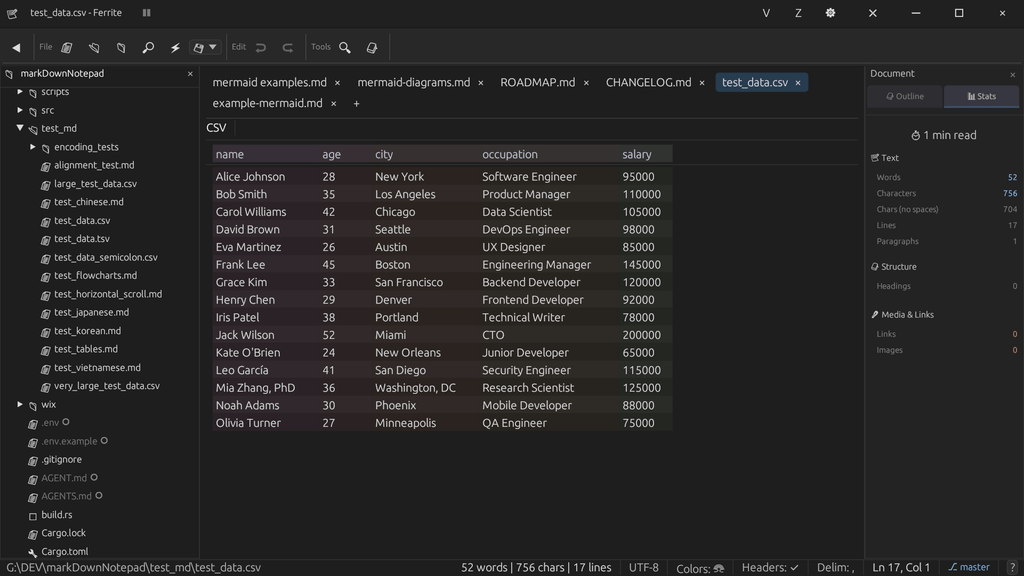
Hover over the indicators above
Outline & Statistics
Document structure and word counts at a glance
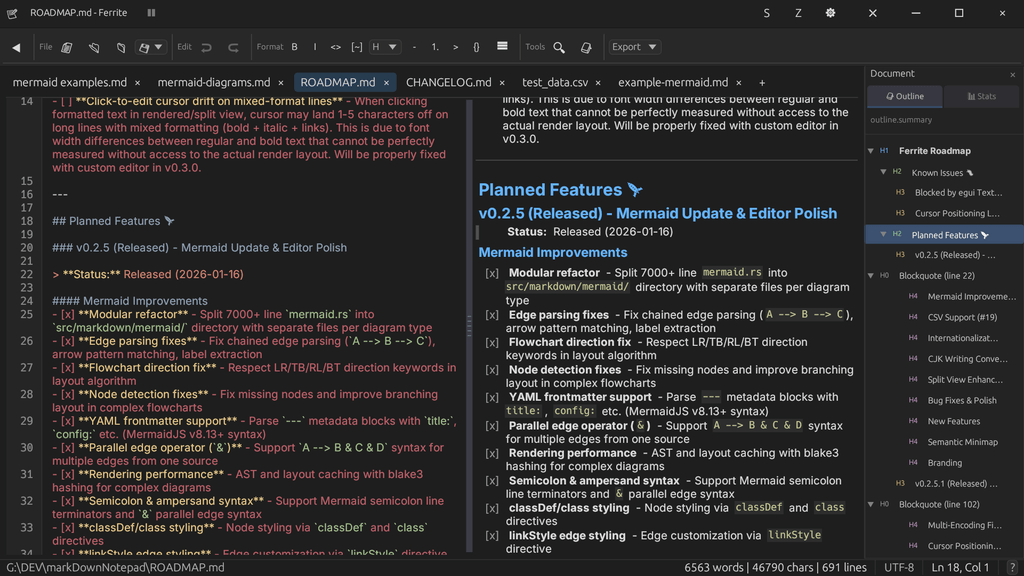
Hover over the indicators above
Customize Your Editor
Tailor Ferrite to your workflow
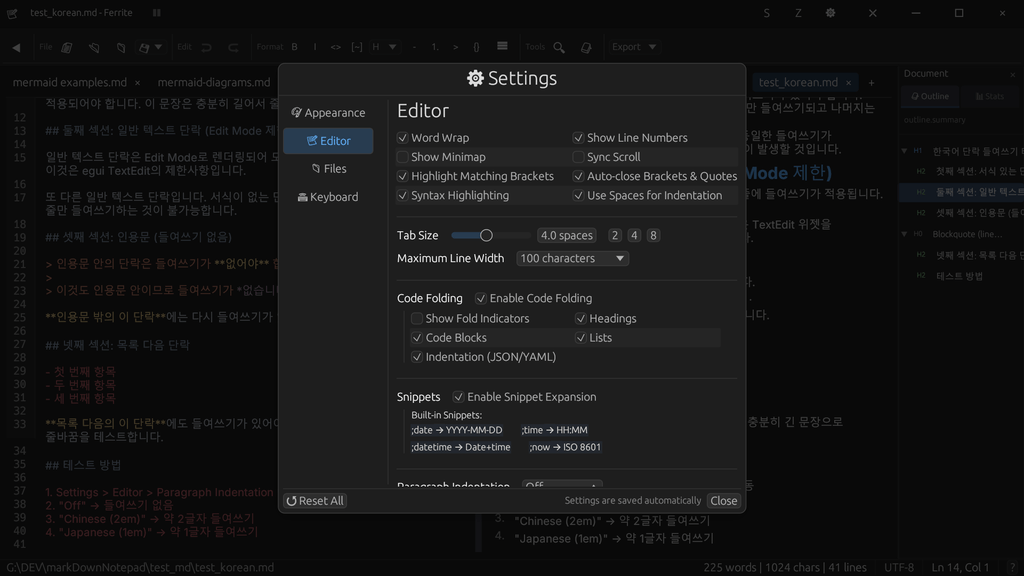
Hover over the indicators above
More tips coming soon. Have a feature request? Let us know on GitHub
Try it yourself
It's free, it's fast, and it works offline.
Some features are still in progress: LaTeX math rendering and RTL/bidirectional text are planned for upcoming releases. See the roadmap for what's coming next.